



Forcing Google Analytics to Show Real Time Data

As I was having a casual converstion with my friend about Google analytics, he told me that Google analytics doesn’t show real time data. Not willing to agree with him, I went ahead to the analytics dashboard, searching for a proper answer and found out this question – “ How long does it take to see report data?

Answer:

Google Analytics generally updates your reports every 24 hours. This means that it could take 24 hours for data to appear in your account after you have first installed the tracking code.

So according to Google analytics: there’s ‘no’ way to get real time data from google analytics. Infact, there is one way! I wouldn’t like to call this as a Google Hack but this I am just trying to deceive the google analytics team icon razz Forcing Google Analytics to Show Real Time Data

Real Time Tracking from Google Analytics:

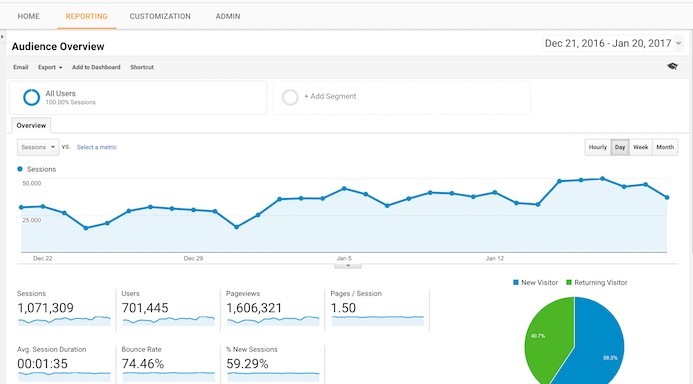
Just go to your Google analytics page and have a look at the right top which reads “My analytics Accounts”. You can find the date range feature and next to that there is arrow pointing downwards (see the image) which allows you to set custom date.

screenshot2 thumb Forcing Google Analytics to Show Real Time Data

Click on that arrow and you  will be presented with a calendar showcasing dates from the past month. Select the date range (include the current date) and then click on Apply button.

screenshot1 thumb Forcing Google Analytics to Show Real Time Data

The page refreshes and Viola! You can see the real time statistics for your blog! icon biggrin Forcing Google Analytics to Show Real Time Data

Written by on June 6th, 2008

Self-proclaimed geek, editor of blogote, who loves all things tech.


Related posts:
  1. Google content network accept third party ads
  • SEO


    While not being real time, it’s better than waiting until the next morning. Refresh times vary for me, but usually I find them about an hour behind.

    July 21 2010
    CommentsLike


    • This was useful when setting up goals using the pageTracker._trackPageview(); function on an AJAX contact form in WordPress. The key was to use multiple browsers at different hours with different Google Analytics settings so you know which configuration works.

      April 20 2010
      CommentsLike
      • ElleAz


        Whether it’s truly “real-time” or not, it’s just helped me solve a major issue by enabling me to confirm that my GA code was tracking the site traffic today. Thanks for the tip!

        April 14 2010
        CommentsLike


        • Really? That’s supposed to be a “hack”? Sheesh. I guess you got me.

          February 19 2010
          CommentsLike


          • This statistics are not real time! They refresh after 3 -5 hours only.

            January 13 2010
            CommentsLike


            • Funny, I’ve been doing this ever since I started using GA. And it still isn’t real-time, I notice stat inaccuracies for at least an hour, so this post is still misleading :)

              July 16 2009
              CommentsLike


              • This is good BUT it’s not “real time”

                It takes maybe an hour or even two hours for the results to be updated…..they will usually pop up at some point after refreshing.

                Either way, very good!

                June 19 2009
                CommentsLike
                • Google Analytics: Tutorials, Tools und Tipps | Dr. Web Magazin


                  [...] Forcing Google analytics to show real time data [...]

                  November 18 2008
                  CommentsLike


                  • [...] prove alexa system is false (I hate it now,It sucks) I have checked my Google analytics stats and from this Screen shot you can easily figure out that from June 16 and till June 18th this [...]

                    September 22 2008
                    CommentsLike
                    • Ashok


                      No i don’t think like so.

                      July 03 2008
                      CommentsLike