
By using this site, you agree to the Privacy Policy and Terms of Use.
Accept
BlogoteBlogoteBlogote
  • Software
  • Tech News
  • Business
  • Fashion
  • Finance
  • Health
  • Lifestyle
Search
  • Contact
  • Blog
  • Complaint
  • Advertise
Reading: Find Popular Posts on Google Plus
Share
Sign In
Notification Show More
Font ResizerAa
BlogoteBlogote
Font ResizerAa
  • Tech News
  • Gadget
  • Technology
  • Mobile
Search
  • Home
    • Home 1
    • Home 2
    • Home 3
    • Home 4
    • Home 5
  • Categories
    • Tech News
    • Gadget
    • Technology
    • Mobile
  • Bookmarks
  • More Foxiz
    • Sitemap
Have an existing account? Sign In
Follow US
  • Contact
  • Blog
  • Complaint
  • Advertise
Home » Blog » Find Popular Posts on Google Plus
How to

Find Popular Posts on Google Plus

Sara Taylor
Last updated: June 6, 2022 7:49 am
Sara Taylor
Share
SHARE

Google Plus (add me?) has quickly coagulated into the social networking site that everyone seems to like over the behemoth Facebook. In the past two weeks, Google Plus (or G+, GPlus, Google+ — whatever) has been able to stock over 10 million users. And the numbers are increasing as we speak.

Now there are a couple of features missing in Google Plus. One of the most important one is the ability to search the site for updates. The good thing is, all this and much more can be achieved by the simple “site:” search operator. But what if you want to search for the popular posts on Google Plus? Posts that are shared by thousands of people on Google Plus?

Again, site: operator with the blend of other operators can do the trick. So here’s what you have to do: Go to Google.com and type this:

site:plus.google.com inurl:posts 30..2000 shares

What does this do?

The Site:plus.google.com restricts the results to the Google Plus domain while the operator Inurl:posts will display the URLs that have the word “posts” in them.

Lastly, we use the range operator (..) to display posts that have been shared anywhere between 30 to 2000 times. I bet some of you didn’t know about the range operator.
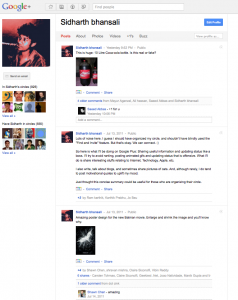
 

Play around with the code. Maybe you can change the number of shares to 5000 and see what Google shows up. For now, this is your ideal choice for finding popular posts on Google Plus. If you have anything to share, feel free to let me know. :)

Several Ways to Block Websites on Your Mac OS Computer
Simple ways to Search Longer YouTube Videos
How to install Amazon Prime Video on an Android TV
Listen to Regional Indian Songs Online on Gaana.com
What Causes Skype Videos to Freeze?

Sign Up For Daily Newsletter

Be keep up! Get the latest breaking news delivered straight to your inbox.
[mc4wp_form]
By signing up, you agree to our Terms of Use and acknowledge the data practices in our Privacy Policy. You may unsubscribe at any time.
Share This Article
Facebook Copy Link Print
Share
Previous Article Download Free iPhone Ringtone Maker/Converter/Editor application
Next Article Updating Adobe Flash Player on Mac OS

Stay Connected

248.1KLike
69.1KFollow
134KPin
54.3KFollow

							banner							
							banner
Create an Amazing Newspaper
Discover thousands of options, easy to customize layouts, one-click to import demo and much more.
Learn More

Latest News

Juanita Katt
Juanita Katt: The Private Daughter of a Hollywood Family
Biography
What Date is 72 Days From Today?
Guides
What is 18 Weeks From Today?
Weeks
Brazil Tech News
Brazil Tech News: Top 10 Startups Changing Latin America
News

You Might also Like

Google’s funny weird surprising domain names

James Betterson
James Betterson

How To Quickly Add Facebook Friends Without Banned & Blocked

Kelly Jhonson
Kelly Jhonson
3 Min Read

How To Add New Contacts In WhatsApp

admin
admin
2 Min Read
//

We influence 20 million users and is the number one business and technology news network on the planet

Sign Up for Our Newsletter

Subscribe to our newsletter to get our newest articles instantly!

[mc4wp_form id=”1616″]

BlogoteBlogote
Follow US
Join Us!
Subscribe to our newsletter and never miss our latest news, podcasts etc..
[mc4wp_form]
Zero spam, Unsubscribe at any time.
Welcome Back!

Sign in to your account

Username or Email Address
Password

Lost your password?