
Linux is easily one of the most secure operating system, added that it is least prone to virus and malware attacks. However, we cannot conclude that it is completely free from viruses.
Best Antivirus Programs for Linux
The number of malicious programs including viruses, malwares, trojans etc. written for Linux are very less when compared to other operating systems. Even though the numbers are very low, using an anti-virus would ensure you complete protection from viruses and malwares. There are a number of anti-virus programs available for Linux.
To help you select the best one for your system and to ensure complete protection, we bring you some of the top antivirus programs available for Linux.
Avast! Linux Home Edition
Avast! is one of the most widely used anti-virus for Linux. It has a simple GUI (Graphical User Interface) and is very easy-to-use.
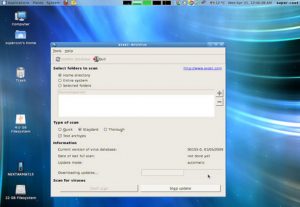
Some of the features of Avast! Linux Home Edition are :
- Virus Chest – Suspicious files are stored in the virus chest.
- Automatic Updates – Virus databases are updated at least 3 times a week, to protect your system against the latest threats.
- Command line scanner – Experienced users have the option to use the classic on-demand scanner that can be controlled from the command line.
- Internationalization – Avast! available in English, Czech, Portuguese (Brazil), Bulgarian, Finnish, French.
You can download avast! Linux Home Edition for free at Avast.com.
Kaspersky Anti-Virus For Linux
Kaspersky, one among the most famous anti-virus programs for Windows, works well on Linux too. It is well known for it’s advanced protection and extensive virus database.
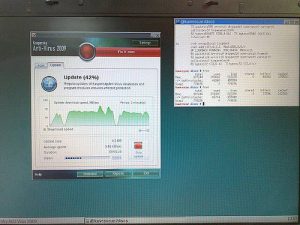
Some of the highlights of Kaspersky are :
- Advanced Virus Protection – Kaspersky protects your system from viruses, spywares and other malwares.
- On demand scanner – Allows you to scan specified areas and prompts you to take action against the infected objects.
- Real-time protection from viruses – Kaspersky scans the files being accessed for malicious code and cures or deletes the infected objects.
- Automatic updates – Virus databases are updated on demand or automatically from Kaspersky Lab’s Internet servers.
Kaspersky anti-virus for Linux can be downloaded by clicking here.
AVG Free for Linux
AVG Free for Linux is a free anti-virus product developed specifically for home and non-commercial use. It is aimed at providing maximum protection from viruses.
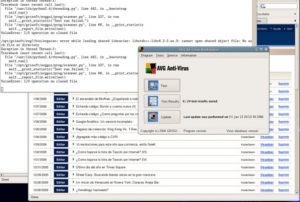
Some of it’s features include :
- Graphical User Interface (GUI) – An intuitive and easy-to-use graphical user interface.
- Automatic updates – Protects your system from the latest threats by automatically updating virus databases.
- AVG On-Demand scanner – Allows you to perform scheduled and manual tests.
- Command line scanner – The command line scanner offers you some extras such as creating a report file, scheduled updates, etc.
- AVG Free uses advanced virus detection methods to provide you with maximum virus protection.
Download AVG Free for Linux by visiting AVG website.
Know any other top antivirus software for Linux that you’ve used? Feel free to share..