


iTunes is a really great application for managing your music library and syncing music, videos, applications, etc. to your iPod as well as iPhone. But the sad part, for users like me who are hooked to Linux, is the avalability of iTunes only for Windows and Mac.
Why Apple? Why? �?
Okay, so, let’s put this straight – Linux users need to look out for iTunes alternatives that can help in managing their iPod or iPhone. I know there are already some great set of applications like VLC Media Player, Rythmbox, MPlayer, etc. for managing your media library and play media files instantly that are available on Linux.
But there are a very few applications that can effectively manage your iPod or iPhone on Linux, though, the fewer ones that are available counts for being the best iTunes alternatives I’ve used. So let’s check ‘em out:
Best Linux iTunes Alternative Application
Amarok — Amarok is a really great music player for Linux. It enables you to manage your music library, listen to internet radio, create dynamic playlists, manage podcasts, and much more. Needless to say, amarok is the most popular alternatives for iTunes, at least for me.
The easy to transfer files option between your computer and your iPod couldn’t get any better. Amarok currently supports iPhone, iPod Touch, iPod Nano 5G and also older iPod models. Nifty app!
Banshee – Banshee is a powerful, open-source media player for Linux. Does play music, stream and downloads podcast. Managing devices is simpler, too!
Banshee currently supports Android, iPod, as well as other media devices.
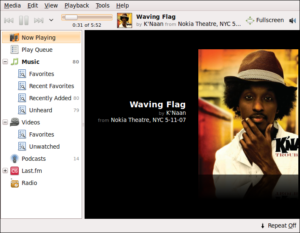
Floola – Sounds funny! But Floola is yet another freeware application that manages your iPod quite effectively. Its an all-in-one app that enables you to manage photos, music, videos as well as podcasts.
The best part is the no-installation in Floola, and it can run directly from your iPod. It supports almost all features offered by iPods such as photos, artwork, smart playlists and podcasts.
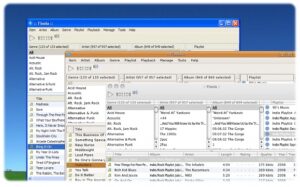
It also converts incompatible video and audio file automatically. However, one of the disadvantages of Floola is that it does not support iPhone and iPod Touch.
gtkpod – gtkpod is a platform independent GUI that enables you to manage your iPod. It supports 1st to 5th generation iPods including iPod Mini, iPod Photo, iPod Shuffle, iPod Nano and iPod Video.
However, gtkpod too does not support iPhone or iPod Touch. gtkpod is a simple and easy-to-use application enables you to manage your iPod, download podcasts, create smart playlists, normalize tracks, sync directories and much more. Nifty app, though!
Yamipod – Last but not the least, Yamipod is a freeware application that enables you to effectively manage your iPod. It is similar to Floola as it does not require any installation and can be directly run from the iPod.
YamiPod supports all iPod generations except iPod Touch and iPhone. Some of it’s features include automatic iPod recognition, multiple iPod support, Last.fm support, PC to iPod synchronization, upload RSS and podcasts to iPod and many more.
If you have used any of the application other than the above mentioned to sync your iPod, and found them useful then please let me know. Always happy to try them out!







