


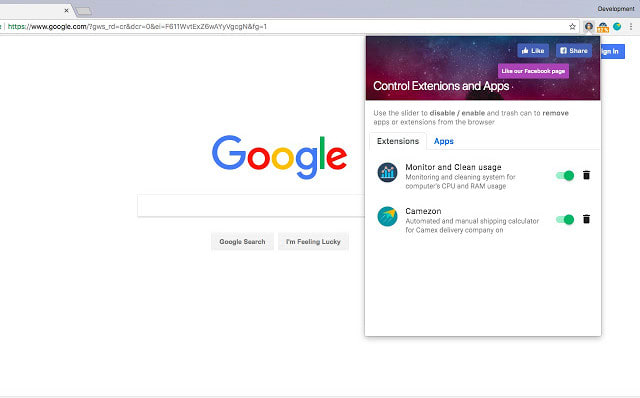
Update: This article was written when Google Chrome browser didn’t have any “extensions” or “addons.” Nonetheless, the article below is useful not just for Chrome but also for Opera, Firefox, and Safari users. Use these browser bookmarklets by dragging-and-dropping on them on your browser’s bookmark.
Thanks to Pratyush who made this addon collection possible. In fact the entire credit goes to him. He also has a tumble blog and he blogs on Fully faltoo blog.
It came, it saw and it conquered. Google Chrome has been said as the most potential browser, though it has been criticized for lack of support of plugins or so called addons. We all like Firefox browser cause it has AdBlock, Gmail This, Stumble and what not! However, you can still get these Firefox addon/extension type features on Chrome browser by using some smart bookmarklets, so-called Google chrome addons.

Google chrome is a browser with no addons or plugins. But these bookmarklets below may just make your Chrome a little more useful. Some of the existing Firefox addons already available on the web have been converted to bookmarklets, which means you can get all the Firefox functionality in your Chrome browser within a few clicks.
Just make sure you have the bookmark bar enabled on new tabs in your Chrome browser. Click ctrl+b to get a static bookmarking bar. To use this bookmarklet, click on the hyperlink and drag them onto this Chrome Bookmark bar.
Disable/block Ads on webpage (Adblock for chrome)
Adblock+ Just drag and drop this link/bookmarklet on your bookmarks bar.Ad block removes “java, flash, background music, and third-party iframes.” Thus it does a handy job of blocking ads on a webpage. Who says only firefox addon block ads? Chrome now has a Adblock-like addon now!
Stumble using Chrome
Stumble it – Add this link and click on it whenever you want to Stumble a page you liked. I like this bookmarklet better than the toolbar as it gives me more browser space. Another way of stumbling a webpage can be found here.
“Gmail This!” bookmarklet
Gmail This – Another very useful feature to mail any page using Gmail. For Google Apps Mail, try this (you will need to replace “yourdomain.com” with your own domain name).
Convert plain text URL’s into hyperlinks
Linkify – This is a cool addon bookmarklet to convert all plain text URLs into hyperlinks on a webpage.
Social Bookmarking submission
Socialize – Submit a blog post from Google chrome to more than 50 social bookmarking website with a few clicks.
All in one video downloader
Video downloader – Remember the firefox addon which lets you download videos from YouTube and Google videos? Why not do the same with Google chrome browser! This code will let you download from YouTube and many other video sharing website.
Check Google Pagerank
Google Pagerank – Google toolbar is not available on Chrome browser. Get this bookmarklet to find a website’s pagerank.
Twitter Updates from Chrome
Twitter now – Drag this bookmarlet to chrome bookmark bar and whenever you feel like updating your Twitter account, just click on the bookmark, add a funny or witty message along with a Twitter hashtag if you want, and send the update.
Tumblr bookmarklet
Tumblelog – Sharing on Tumblr has always been easy. If you own a Tumblr blog then this bookmarklet is a must-have. Just drag this button to your Bookmarks Bar to quickly post to your tumblelog.
Dictionary,thesaurus and reference
Dictionary – This is the only dictionary bookmarklet you want. If you are a thesaurus fan, just drag and drop this (Thesaurus) bookmarklet on your bookmarks bar. Also you can add a similar bookmarklet for Reference too!
Google translation Chromelet
Translate – Landed on a page whose language you don’t understand? Get this bookmarklet and click on it to translate a webpage into English language. You don’t even have to know the source language.
The list will be updated with new addons/bookmarklets! Thank you pratyush for your generous help!
Updated Google chrome addons bookmarklet
Delicious Bookmark – Bookmark easily and quickly on Google chrome using this delicious bookmark. Drag and drop the bookmarklet addon and whenever you feel like bookmarking a page, click on the delicious bookmark link.
