
If ‘distraction’ was a subject, I’d be topping the class any day. 
Really, it takes me a lot of thinking — which I am not good at — to stitch my thoughts together and write an article, all because of the distractions in and around my vicinity. Whether to send an email, or to write an article, I end up finishing today’s intended work tomorrow. Always.
Hey, I have changed.
It took me months to get the distraction off the table. I believe I have learned to manage time, the hard way! You know as the amount of work piles up, we realize the value of time. Now, my first priority when I am sitting in front of my computer is to complete the task that needs attention. And then I am free to lurk around the web.
Managing time isn’t tough after all. All you need to do is to work with the mindset of getting things done now. If you are a writer/blogger spending your time crunching thousands of words everyday, then here are the set of tools to level up your productivity which I have been using for my personal gain. If you have anything to add, please feel free to let me know through your comments.
Desktop Distraction-free Writing Tools For Mac OS
Although the hugely popular Windows Live Writer doesn’t support the Mac OS platform, there are still some very good apps to write articles. To start with, one of my personal favorite tool is Scrivener.
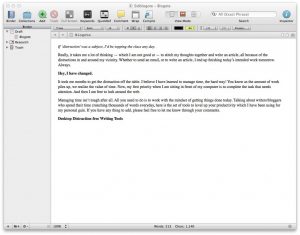
Suggested by Rahul, I’ll have to agree there is no tool like Scrivener. This app grows on you. However, you must know that Scrivener is not free — although worthy of $40, in my opinion. And the app rocks for those who are into writing novels, short stories, etc. It is a delight to write articles in full-screen mode.
Along with Scrivener, the two distraction-free tools that you may have already heard/tried are Ommwriter ($4.99) and WriteRoom ($24.99), both available in the Mac App Store, which strips away the distraction so that you can focus on the text part.
For the rest of us who doesn’t want to invest in a writing tool, check out these distraction-free tools:
Free Distraction-free Writing Tools
If you can control your online behavior and focus only on one thing at a time — writing, that is — then these tools are your savior. The best part is, you don’t have to pay anything to use them.
Firstly, one of the best desktop-based writer for Mac is Focus Writer. The app does exactly what you’d expect it to do: help you focus on writing articles.
Writer, popularly known as the internet typewriter, is a useful distraction-free online writing tool that lets you save text as you write in its distraction-free environment. This works on any OS (platform-free tool), and it will remain on my bookmark toolbar for a long time to come.
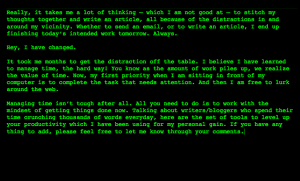
There are a few dozens of online tools similar to Writer. You can pick any one of these tools for writing in a distraction-free environment, just play around with them and bookmark the one your eyes are comfortable with.
Oh, how can we forget Google Scribe? I absolutely love this tool.
Additional resources:
- Check out the Write Space extension for writing in a full-screen mode. It’s free, and works as good as WriteRoom (paid app) for Mac. Check it out.
- Also, download the free Pomodoro cheat sheet to set yourself in the launch mode and get things done in a much more organized way. This technique, in my opinion, applies to any kind of work.
- Lastly, if you are using desktop tools to write articles, why not turn off the internet? This should drive away unproductive distractions. Combination of Pomodoro technique and turning off the internet has shot up my productivity to a newer level. See if that works for you!