
Solution to fix scratches, rough spots visible on the surface of your Magic Mouse. If you want to get rid of the Magic Mouse scratches, this guide should definitely help you.
When I was first introduced to the iMac, I was excited to try out the Magic Mouse. A quick look at the iMac and a part of me grew in love with the machine. I wanted an iMac, badly, and I finally bought one home last month.
After having used $10 mouse for over 4 years, using the iMac and its Magic Mouse is a delightful experience. For me, Apple’s Magic Mouse is the best mouse I have used till now. However, despite the super-stylish and robust design, the mouse has one serious flaw: it can be easily scratched.
My Magic Mouse Has Scratches but isn’t Damaged
When I visited the Reliance iStore — Apple Reseller Store in India — to get my iMac fixed, the folks at the store were politely diagnosing the issue. Finally we came to the conclusion that the power plug was dead, and the iMac is still in its excellent condition. Everything was sorted out; we packed the iMac and drove home.
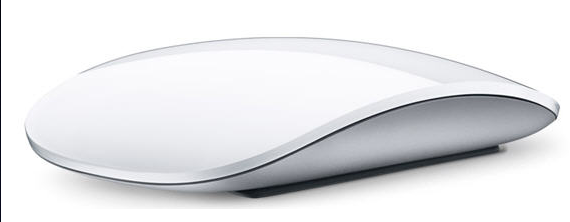
What I noticed after reaching home was nothing short of a nightmare for me — scratches were dominating on the upper surface of my Magic Mouse. My Magic mouse has scratches all over it. Within a blink of an eye, someone, perhaps unintentionally in the store, punched scratches on the mouse, leaving me flabbergasted and furious at the same time. A month old Magic Mouse is nearly unusable now.
The Magic Mouse was working fine, reverse scrolling on Lion worked fine — the mouse was not completely damaged, but the rough lines on the top of the surface made me search for a solution.
It was difficult for me to scroll and navigate through the Magic Mouse. Taking this issue to the store didn’t help, as they constantly refused to accept the blame. I was tangled in a messy situation where there was no way out — they (people at the iStore) didn’t do it; obviously, I didn’t/wouldn’t screw my Magic Mouse. So who is the culprit? More importantly, it was my mouse that had the surface scraped off, and I have to pay the price.
Solution to Fix Scratches on Magic Mouse
Long story short: My brother figured out a solution that could help remove scratches from the Magic Mouse. Let me tell you one thing: I didn’t believe this would work, but it did work, extremely well. Apart from one prominent scratch, all of the scratches on the Magic Mouse have disappeared.
The product, PolyWatch, is a polishing paste that has worked for the benefits of Mac users. It is available on Amazon (Click here
Because the product is not available in India, I used an alternate solution — for those who are interested, the product is called Waxpol — which worked for me after rubbing the paste gently on the scratched spot of my Magic Mouse.
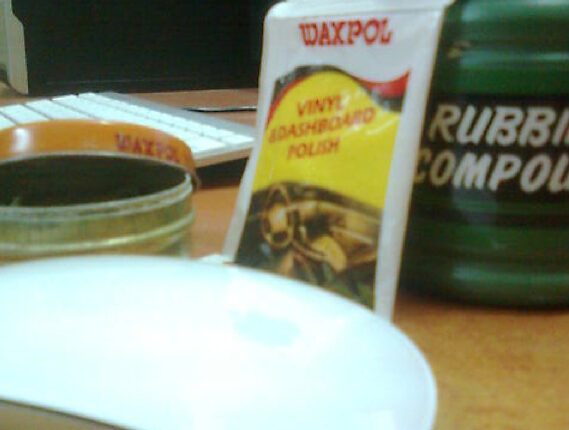
If you are not able to find any of this product, then go with any Car dashboard polishing paste and apply it on the scratched surface of your Magic mouse. Rub it with a soft cloth and you should notice the difference. Try it out and feel free to express your views here.