
By using this site, you agree to the Privacy Policy and Terms of Use.
Accept
BlogoteBlogoteBlogote
  • Software
  • Tech News
  • Business
  • Fashion
  • Finance
  • Health
  • Lifestyle
Search
  • Contact
  • Blog
  • Complaint
  • Advertise
Reading: Malware on Mac Computer Appears as a PDF File
Share
Sign In
Notification Show More
Font ResizerAa
BlogoteBlogote
Font ResizerAa
  • Tech News
  • Gadget
  • Technology
  • Mobile
Search
  • Home
    • Home 1
    • Home 2
    • Home 3
    • Home 4
    • Home 5
  • Categories
    • Tech News
    • Gadget
    • Technology
    • Mobile
  • Bookmarks
  • More Foxiz
    • Sitemap
Have an existing account? Sign In
Follow US
  • Contact
  • Blog
  • Complaint
  • Advertise
Home » Blog » Malware on Mac Computer Appears as a PDF File
News

Malware on Mac Computer Appears as a PDF File

Sara Taylor
Last updated: April 4, 2015 6:33 am
Sara Taylor
Share
SHARE

A new Mac malware has been discovered, which uses PDF files to exploit vulnerabilities on Mac OS X Lion and Snow Leopard machine.
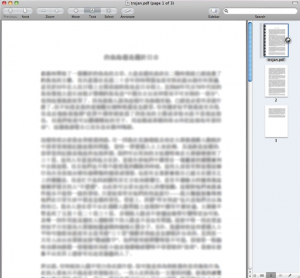
 

The Trojan disguised as a PDF file can induce malware on your Mac computer. This malware in question, identified as Trojan-Dropper:OSX/Revir.A, presents itself as a Chinese language document.

The malware tries to install a Trojan horse that could lead the hacker remotely into your Mac computer.

Tips to Protect Your Mac From Malware

In the past, Trojans, Malwares, viruses have invaded the Mac machine through the browser’s security exploits, email attachments and through cross-platform technologies like PDF documents.

Although Mac is, as Apple says, a computer free from any form of perennial viruses, but as more users bank on Apple products, the security exploits come to light

Here are some tips to get rid of Malwares on Mac:

    1. Check if the Trojan horse has invaded your Mac by opening the Activity Monitor and looking up for the process called Checkvir. If found, click on Quit Process.


    1. Mac OS X Lion users can remove the files “checkvir” and “checkfir.plist” which is found in the LaunchAgents directory. Click on Finder, then select Go -> Go to Folder and follow this path to enter into the LaunchAgents directory:

/username/Library/LaunchAgents/


    1. Run Apple’s Disk Utility tool to make sure that system file permission are not changed. Repair the file permission, if required.


    1. Apple frequently releases security updates for Mac. The last update was released two weeks ago, so keep an eye on Apple’s website.


  1. Lastly, you can also use a free antivirus software for Mac, or Little Snitch (paid tool) to block outgoing traffic and connections from your Mac.
Sony Ericsson and AT&T to Launch New SmartPhone in the US | Xperia X10 SmartPhone
New Microsoft Office Professional Offer [$9.95 For Full Version of MS Office]
Why is Social Media Marketing important for your business?
VPN providers withdraw servers from India due to new rules
The next frontier for drones: letting them fly out of sight

Sign Up For Daily Newsletter

Be keep up! Get the latest breaking news delivered straight to your inbox.
[mc4wp_form]
By signing up, you agree to our Terms of Use and acknowledge the data practices in our Privacy Policy. You may unsubscribe at any time.
Share This Article
Facebook Copy Link Print
Share
Previous Article aXXo is back: TorrentDay Has the Best Torrent Uploader Under its Hood
Next Article Download Nvidia Driver Cleaner | Driver Sweeper For Windows

Stay Connected

248.1KLike
69.1KFollow
134KPin
54.3KFollow

							banner							
							banner
Create an Amazing Newspaper
Discover thousands of options, easy to customize layouts, one-click to import demo and much more.
Learn More

Latest News

Juanita Katt
Juanita Katt: The Private Daughter of a Hollywood Family
Biography
What Date is 72 Days From Today?
Guides
What is 18 Weeks From Today?
Weeks
Brazil Tech News
Brazil Tech News: Top 10 Startups Changing Latin America
News

You Might also Like

Apple Introduces iOS 15 at # WWDC21

admin
admin
3 Min Read

pub tv: The Ultimate Guide to Advertising on Television

admin
admin
16 Min Read

The Pirate Bay and Vimeo Website Blocked in India

Sara Taylor
Sara Taylor
2 Min Read
//

We influence 20 million users and is the number one business and technology news network on the planet

Sign Up for Our Newsletter

Subscribe to our newsletter to get our newest articles instantly!

[mc4wp_form id=”1616″]

BlogoteBlogote
Follow US
Join Us!
Subscribe to our newsletter and never miss our latest news, podcasts etc..
[mc4wp_form]
Zero spam, Unsubscribe at any time.
Welcome Back!

Sign in to your account

Username or Email Address
Password

Lost your password?



