
By using this site, you agree to the Privacy Policy and Terms of Use.
Accept
BlogoteBlogoteBlogote
  • Software
  • Tech News
  • Business
  • Fashion
  • Finance
  • Health
  • Lifestyle
Search
  • Contact
  • Blog
  • Complaint
  • Advertise
Reading: How to Install RemoteJoyLite For PSP 6.20 TN-B HEN
Share
Sign In
Notification Show More
Font ResizerAa
BlogoteBlogote
Font ResizerAa
  • Tech News
  • Gadget
  • Technology
  • Mobile
Search
  • Home
    • Home 1
    • Home 2
    • Home 3
    • Home 4
    • Home 5
  • Categories
    • Tech News
    • Gadget
    • Technology
    • Mobile
  • Bookmarks
  • More Foxiz
    • Sitemap
Have an existing account? Sign In
Follow US
  • Contact
  • Blog
  • Complaint
  • Advertise
Home » Blog » How to Install RemoteJoyLite For PSP 6.20 TN-B HEN
Games

How to Install RemoteJoyLite For PSP 6.20 TN-B HEN

Sara Taylor
Last updated: August 18, 2013 8:42 am
Sara Taylor
Share
SHARE

Similar to Veency for iPhone, RemoteJoyLite is a free application that allows you to output the PSP screen onto your monitor and control it right from your handheld device. This way, you can easily capture the screen, record videos of the gameplay, and play your PSP videos on the larger screen.

However, Remote Joy Lite is available as an Homebrew application. So, only the HEN activated handheld device can benefit from this application–the new 6.20 TN-B HEN is available for 6.20 firmware.

Steps to Install Remote Joy Lite on PSP 6.20 TN-B

1. Download the Remote Joy Lite 0.19v application file by visiting here, or here

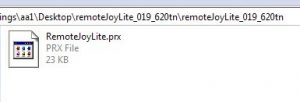
2. Extract the Remote Joy Lite folder and copy the file RemoteJoyLite.prx file
3. Now, assuming that you have connected your PSP to the PC, navigate to the PSP’s memory stick

4. Open the SEPLUGINS folder and drop the RemoteJoyLite.prx file in this folder

5. The folder also includes a text file called “vsh.txt.” Open this file (create a new text file if it doesn’t exist – name it “vsh.txt”)

6. Add this line on top of the text file: ms0:/seplugins/RemoteJoyLite.prx (for PSP 1000, PSP 2000 and PSP 3000, PSP 3004). To those who have PSP Go, add the following line: ef0:/seplugins/RemoteJoyLite.prx

So, that’s about it. To bring your live PSP screen on to the monitor, use Remote Joy Lite viewer exe file. If you have any questions, then let me know.

Fix Issue With Minecraft Launcher For Mac OSX
Hacking PSP 3004 Possible? Basic Guide on PSP Device Hack
Why Should You Consider Learning Game Hacking
Discover The Latest And Greatest Games To Download Online With These Tips And Tricks
SSD vs HDD for Gaming, Which is best for you

Sign Up For Daily Newsletter

Be keep up! Get the latest breaking news delivered straight to your inbox.
[mc4wp_form]
By signing up, you agree to our Terms of Use and acknowledge the data practices in our Privacy Policy. You may unsubscribe at any time.
Share This Article
Facebook Copy Link Print
Share
Previous Article Latest Samsung Tablet Device Coming Soon | Based on Android
Next Article HP’s New Envy 17 3D and Envy 14 Beats Laptops

Stay Connected

248.1KLike
69.1KFollow
134KPin
54.3KFollow

							banner							
							banner
Create an Amazing Newspaper
Discover thousands of options, easy to customize layouts, one-click to import demo and much more.
Learn More

Latest News

Juanita Katt
Juanita Katt: The Private Daughter of a Hollywood Family
Biography
What Date is 72 Days From Today?
Guides
What is 18 Weeks From Today?
Weeks
Brazil Tech News
Brazil Tech News: Top 10 Startups Changing Latin America
News

You Might also Like

5 Tricks to Use the latest Garena Free Fire Redeem Code With New Updates in 2021?

admin
admin
6 Min Read

Buying Guide: Cheap Gaming Computers

admin
admin
4 Min Read

A Complete Walk Through F95Zone, an Adult Community 2021

admin
admin
6 Min Read
//

We influence 20 million users and is the number one business and technology news network on the planet

Sign Up for Our Newsletter

Subscribe to our newsletter to get our newest articles instantly!

[mc4wp_form id=”1616″]

BlogoteBlogote
Follow US
Join Us!
Subscribe to our newsletter and never miss our latest news, podcasts etc..
[mc4wp_form]
Zero spam, Unsubscribe at any time.
Welcome Back!

Sign in to your account

Username or Email Address
Password

Lost your password?



