
We explain how to use IMessage: how to use it on iPhone, being Apple’s messaging application, which is used by users.
Everything you need to know about iMessage
It is Apple’s instant messaging platform that allows users to send messages and files of different types to other iPhone users through an internet connection.
Synchronization and integration across different devices through iCloud help make using iMessage convenient and easy for all users. With an Apple ID and Apple device, you can start using this app and enjoy the benefits that this instant messaging service has.
Over the years, like cell phones and smartphones, texting has become more and more common.
In fact, it can be said that messages through different channels are the preferred means of communication for the community.
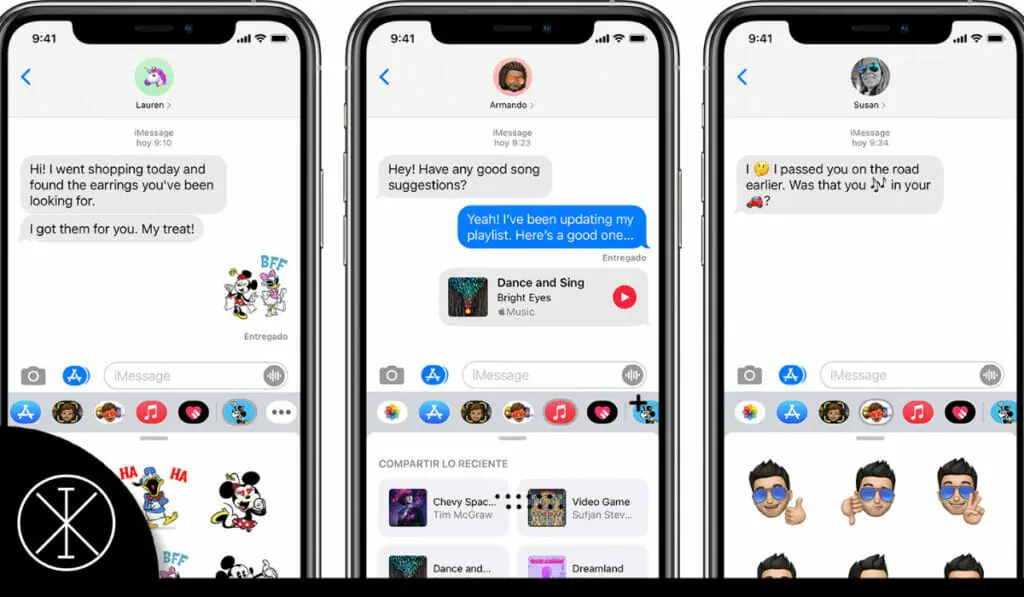
What is iMessage?
iMessage is an instant messaging service, in which you can send text messages, photos, videos, emojis, GIFs, contacts, locations, and more to other Apple users.
All this is done through various forms of Internet access (WiFi, mobile data, etc.) which means that you will not have to use the text messages (SMS, MMS) that are sometimes part of cell phone plans.
With iMessage, you may not have to pay for unlimited text messages (they will only be needed to send text messages to people who are not Apple users ).
Sure, this requires data, but keep in mind that texting doesn’t take up a lot of MB.
Main features
iMessage sync
One of the best features of iMessage is syncing between devices. You can use your Apple ID to sign in to iMessage through your iPhone, iPad, or Mac. All the devices you are signed in to will receive your iMessages.
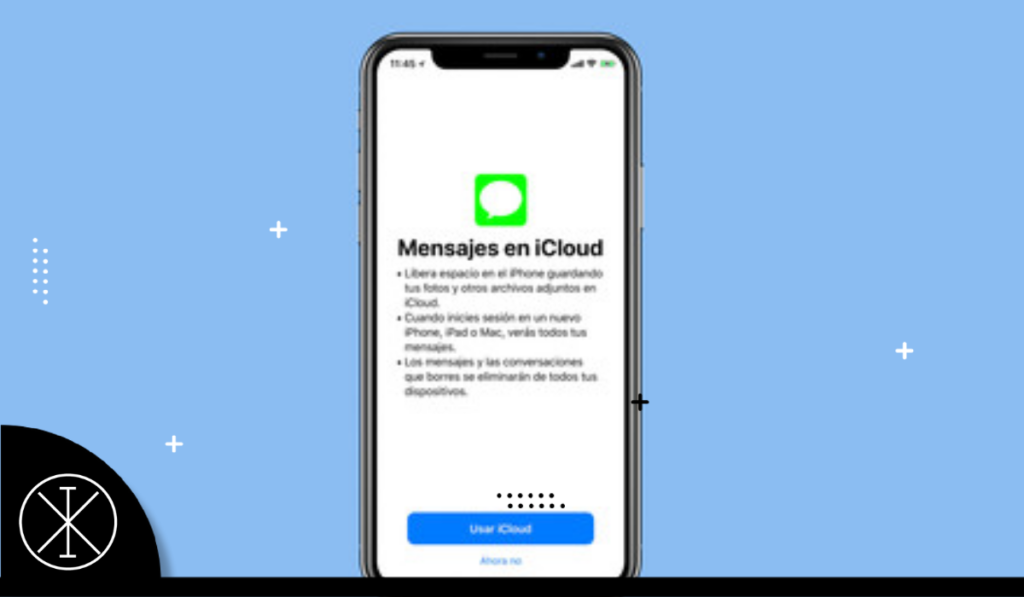
The recent (relatively) integration of iCloud and iMessage makes syncing even better. Before, when a new device was synced, all the previous messages were not displayed on the new device. Now with messages saved to iCloud, your new devices can access iMessage history, so you won’t feel like you’re missing information when checking your iMessages on a new iPhone, iPad, or Mac.
IMessage Settings
The only thing you’ll need to set up your iMessage is an Apple ID (which most people create during the initial setup of their device). If you are using iOS5 or higher, you may have been invited to activate this service while doing the initial configuration. In case you need additional guidance, you might want to take a look at the following steps:
Go to Settings and select Messages (this applies to iPhone, iPad, and iPod devices.
You may be asked to enter your Apple ID or create one if you haven’t already.
Slide the iMessage option to On.
If you only need it on your iPhone, it will not take up more settings. But if you want people to be able to send messages to your Apple ID and not just your phone number, or if the device you have is an iPod or iPad, go to ‘Send and Receive’ or ‘Receive on’ (depending on the version of operating system you are running) and enter your Apple ID and any additional addresses where you would like to be contacted.
You can also activate other services such as SMS messaging or group messaging (depending on the version of your operating system) and the option to display a subject field or character count in your conversations.
You can also choose whether to enable Read Receipts, which means that whoever you are sending a message to will be able to see when you have read their last message.
You can also select if you want to enable or disable the “Seen” message in your conversations, which means that the other person will know or not when you have read their last message.
IMessage Pros
iMessage is a native Apple service and therefore easy to configure.
Allows you to switch between service by Apple ID and phone number.
Since iMessage is tied to Apple ID and not your SIM, you can use it on your travels with relative ease.
Allows you to see when another user with iMessage is writing a message.
iMessage with external
iMessage is built into the iPhone texting app and is turned on by default, making it easy for even the less tech-savvy to use.
On the other hand, if what you are looking for is a free and easy way to keep in touch with users of all platforms, there are other messaging applications available from which you can choose.
WhatsApp is probably the most popular, similar to iMessage in that it uses your phone’s WiFi or data connection to send and receive messages and is compatible with iPhone, Android, Windows Phone and Nokia devices.
Did you read: iMessage: How to use it on iPhone,