
By using this site, you agree to the Privacy Policy and Terms of Use.
Accept
BlogoteBlogoteBlogote
  • Software
  • Tech News
  • Business
  • Fashion
  • Finance
  • Health
  • Lifestyle
Search
  • Contact
  • Blog
  • Complaint
  • Advertise
Reading: How to Turn Off the Computer Correctly
Share
Sign In
Notification Show More
Font ResizerAa
BlogoteBlogote
Font ResizerAa
  • Tech News
  • Gadget
  • Technology
  • Mobile
Search
  • Home
    • Home 1
    • Home 2
    • Home 3
    • Home 4
    • Home 5
  • Categories
    • Tech News
    • Gadget
    • Technology
    • Mobile
  • Bookmarks
  • More Foxiz
    • Sitemap
Have an existing account? Sign In
Follow US
  • Contact
  • Blog
  • Complaint
  • Advertise
Home » Blog » How to Turn Off the Computer Correctly
How to

How to Turn Off the Computer Correctly

Kelly Jhonson
Last updated: June 6, 2022 7:49 am
Kelly Jhonson
Share
SHARE

I will discuss how to turn off the computer properly after previously I discussed how to turn on the computer properly.
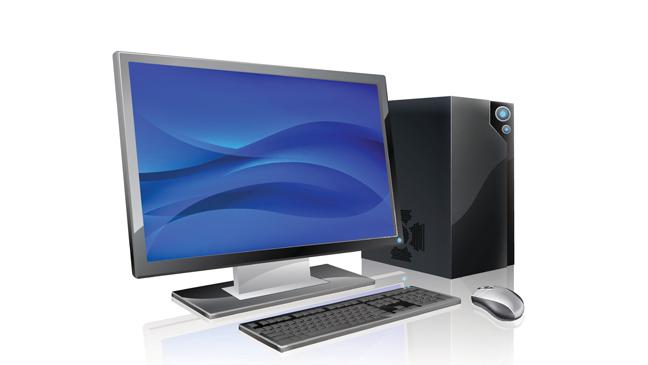
Not much different from the previous post. The procedure for turning off the computer properly is also intended to maintain the durability and performance of our computer set so that it does not get damaged quickly, as well as to avoid long loading processes, frequent hangs, and other problems. This method is intended for those of you who are new to or just learning to operate computers.

Here’s how to turn off the computer properly that you can follow:

Step 1

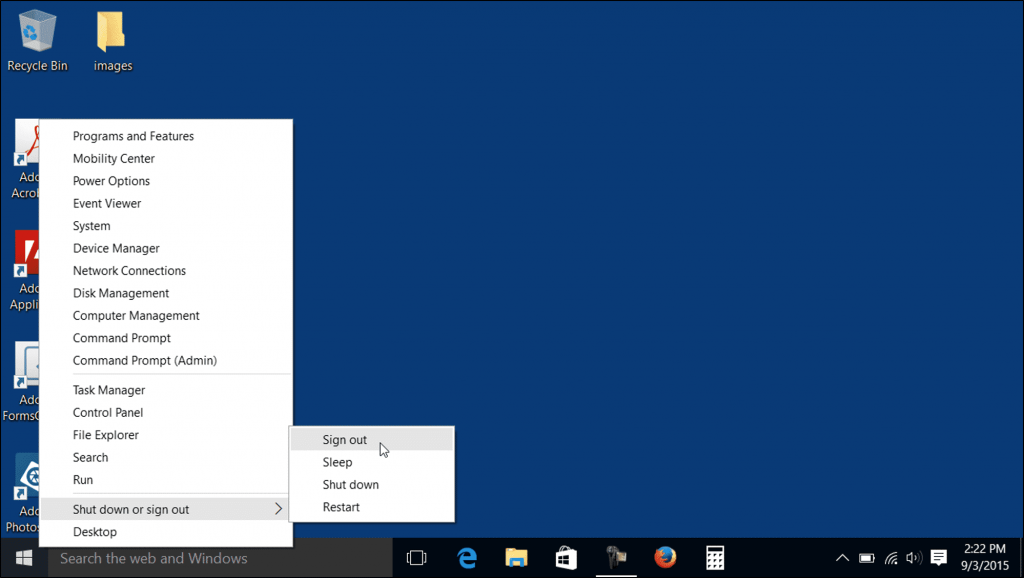
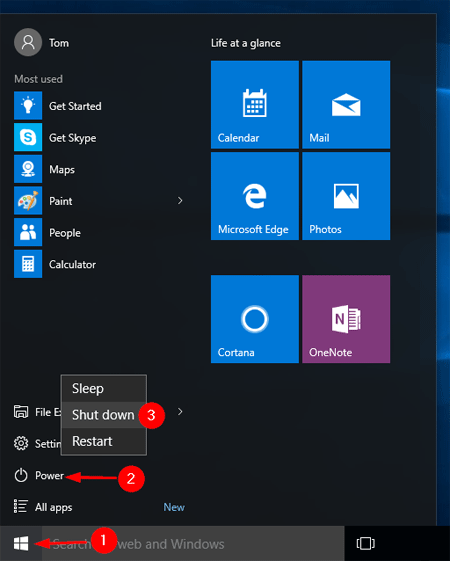
On the start button (there is a flag logo) on the taskbar menu (as in the picture) left click with the mouse.
Step 2

Click Shut Down (bottom) on the menu and click (left button) on the word shut down.
Step 3

Then a display like the image below will appear. it indicates your computer has been successfully shut down. Wait a few moments and the computer will shut itself down.

So aSo a few computer technology articles on how to turn off the computer properly, hopefully it can guide you in getting used to good things even though they are trivial and being able to be wiser in treating this multifunctional electronic device, this computer.

Top 4 Challenges for The Sims 4: This is how you bring variety into the game
How to backup profile of Google Chrome browser
Fix Issue With Minecraft Launcher For Mac OSX
A Guide to Clearing your Browser History in Windows
Software Compatible on Windows 7? How to Find out windows 7 compatibility

Sign Up For Daily Newsletter

Be keep up! Get the latest breaking news delivered straight to your inbox.
[mc4wp_form]
By signing up, you agree to our Terms of Use and acknowledge the data practices in our Privacy Policy. You may unsubscribe at any time.
Share This Article
Facebook Copy Link Print
Share
Previous Article How to Change Gmail Password
Next Article How to fix Microsoft error code 0x426-0x0 0x0

Stay Connected

248.1KLike
69.1KFollow
134KPin
54.3KFollow

							banner							
							banner
Create an Amazing Newspaper
Discover thousands of options, easy to customize layouts, one-click to import demo and much more.
Learn More

Latest News

What Date is 72 Days From Today?
Guides
What is 18 Weeks From Today?
Weeks
Brazil Tech News
Brazil Tech News: Top 10 Startups Changing Latin America
News
The Best AI Video Generator for YouTube: Turning Scripts into Viral Content Fast
Guides

You Might also Like

Mobile PDF Reader – View PDF Files on Sony Ericsson Cell Phones

James Betterson
James Betterson
3 Min Read

Uploading Multiple Photos on Facebook

Sara Taylor
Sara Taylor
2 Min Read

Problems and Issues With Philips Songbird Media Player

James Betterson
James Betterson
4 Min Read
//

We influence 20 million users and is the number one business and technology news network on the planet

Sign Up for Our Newsletter

Subscribe to our newsletter to get our newest articles instantly!

[mc4wp_form id=”1616″]

BlogoteBlogote
Follow US
Join Us!
Subscribe to our newsletter and never miss our latest news, podcasts etc..
[mc4wp_form]
Zero spam, Unsubscribe at any time.
Welcome Back!

Sign in to your account

Username or Email Address
Password

Lost your password?